
Managing Leads in LeadHub
The leads page is the core of the system. Here you manage all your inquiries and potential customers.
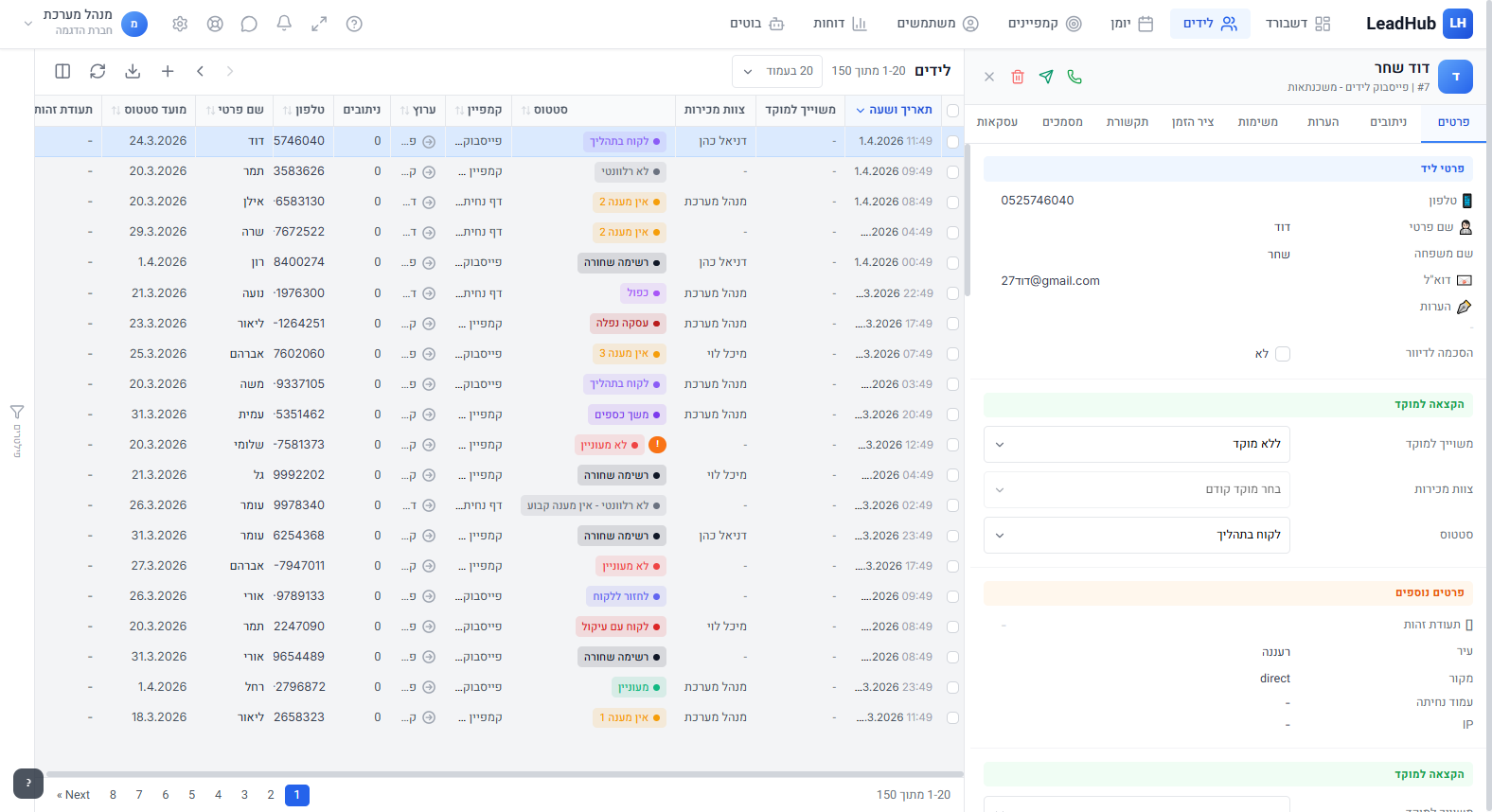
Table View
Leads are displayed in a smart table with options:
- Filtering: Click the filter button (or press F) to filter by status, source, agent, date and more
- Sorting: Click a column header to sort by that field
- Custom columns: Choose which columns to display via settings
- Search: Use the search bar (or press S) to find a lead by name, phone or email

Creating a New Lead
Click the "New Lead" button (or press N) and fill in the details. Required fields are marked with an asterisk.
Editing a Lead
Click on a lead row to open the details panel. From there you can:
- Edit all details
- Add notes and call records
- Manage tasks and reminders
- Upload documents
- Manage deals
- Send SMS, WhatsApp or email
Bulk Actions
Select multiple leads (or Ctrl+A to select all) and perform:
- Bulk status change
- Agent assignment
- Bulk delete
- Export to CSV

Import & Export
You can import leads from a CSV file and export all leads to Excel.